
Enter a purchase or sale
Keep the voucher, item, weight and amount together.
Record purchases, sales, transfers and payments in one Android app. See what stock is available at each spot, warehouse and factory.
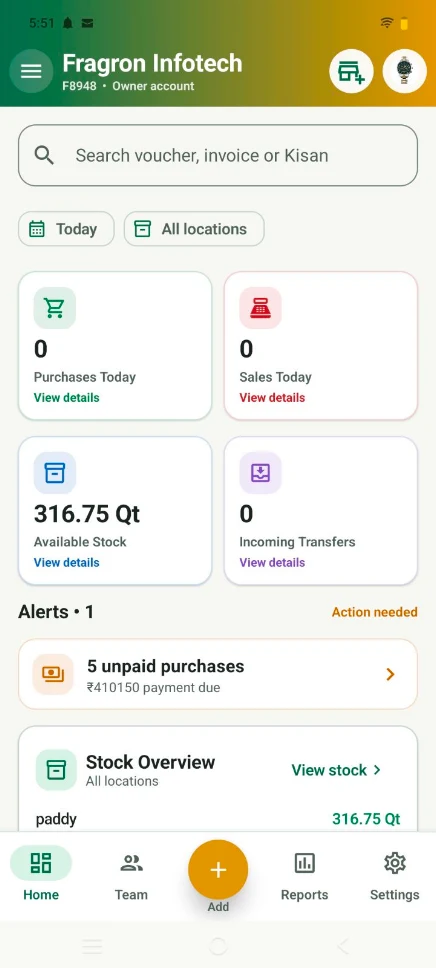
Keep the voucher, item, weight and amount together.
Check available stock at every business location.
Search and review entries when you need them.
Set up your business once. Your daily work then follows a simple flow.
Enter your business details and create the spots, warehouses or factories you use.
Add purchases and sales. Transfer stock when it moves between locations.
Open the dashboard or reports to see stock, payments and recent entries.
These are screens from the current Android app. Open an image to see it at full size.
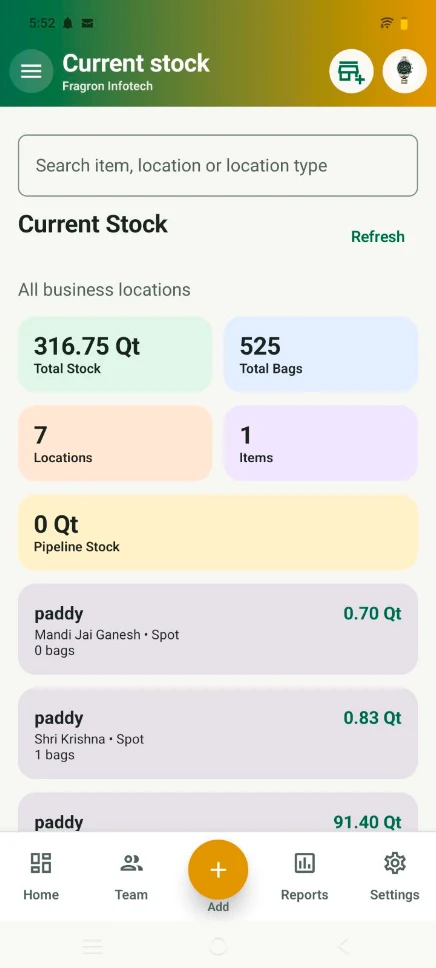
Check stock by item and location.
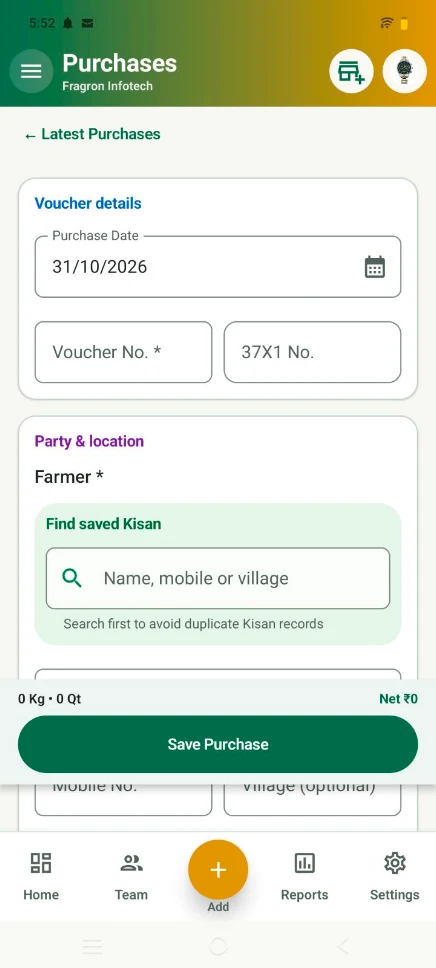
Find a farmer and enter the voucher.
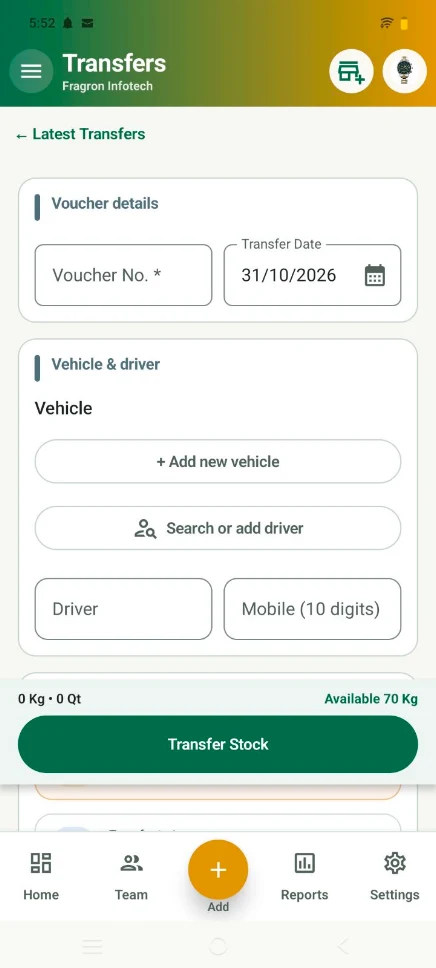
Record where stock goes and who drives it.
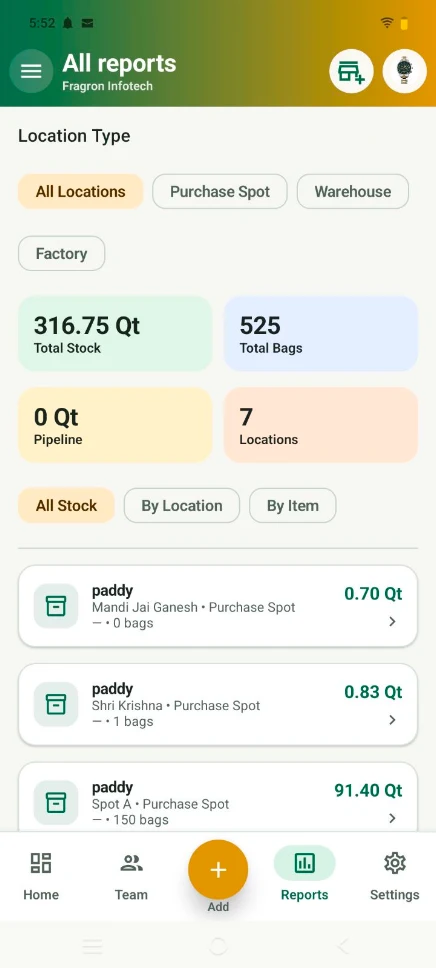
Filter stock by location or item.
No complicated spreadsheets to keep in step with your team.
Save farmer, voucher, bags, weight, rate and payment details.
Record the party, item, source location, quantity and amount.
See the available quantity across your spots, warehouses and factories.
Track stock sent from one location and received at another.
Search records, review reports and download available documents.
Give team members access suited to their role and assigned location.
The owner can review the whole business. Team members work with the locations and tasks assigned to them.
Business ownerLocations, team, stock, reports and settings
Spot, warehouse & factoryDaily entries and stock for assigned locations
Muneem & accountantPurchase vouchers and payment work
Your price is based on the locations and team you use. The app shows the amount before payment, so you can review it first.
Yes. You can add purchase spots, warehouses and factories to your business.
Yes. Add team members and assign their work and locations.
Check the app's sync status. A new entry should be treated as final only after the server confirms it.